Category: Code

  • Turning Documentation Chaos Into a System: An AI-Driven Audit of a 200+ Product Content Library

    A direct-to-consumer e-commerce client runs 170+ live sales funnels across several platforms — ClickFunnels, Shopify, a couple of internal tools — built up over years by multiple contributors. As the catalog grew past 200 product folders, the documentation that was supposed to keep it navigable hadn’t kept pace: fewer than 6% of product folders had any structured notes on what they were, what platform they lived on, or where to find their related tickets. A shared piece of code that every live order form depended on had three different internal documents disagreeing about which version was actually current — a silent risk to live sales pages.

    What I Did

    Using Claude Code as an AI research agent, I ran a full read-only survey of the entire content library — every product folder, every reference doc, every naming convention in use. Rather than proposing a heavyweight rebuild, I designed a lightweight standard: a small, required “context card” for every product that points to the client’s existing project-management system instead of duplicating its data, so there’s never a second copy of information to fall out of sync. I resolved the version conflict the same day it surfaced, then rolled the new standard out folder-by-folder, prioritizing whatever the team was actively working on rather than freezing operations for a big-bang migration.

    The Result

    • Documentation coverage nearly quadrupled in the first rollout sprint, from under 6% to roughly 23% of the library, with backfilling ongoing
    • Resolved a live version conflict and cross-referenced the fix everywhere it was cited
    • Investigated two “duplicate ID” cases and correctly identified them as intentional legacy variants rather than errors, avoiding a rename that would have broken things

    Why It Matters

    Fast-growing catalogs, content libraries, and marketing systems all hit this same wall: the org chart of files and tools grows faster than anyone’s shared understanding of it. The fix isn’t more tooling — it’s a small amount of required structure that an AI agent can audit, maintain, and extend continuously, instead of a one-time cleanup that drifts again in six months.

  • Recent Work: High-Converting Landing Page Designs

    Recent Work: High-Converting Landing Page Designs

    Over the past several months in my role as Digital Marketing Specialist at a leading digital agency, I’ve designed and developed a series of high-converting landing pages focused on optimizing customer acquisition and maximizing conversion rates. These projects showcase my expertise in creating compelling sales funnels using ClickFunnels, implementing persuasive design elements, and applying conversion rate optimization principles. Each landing page features strategic use of urgency tactics, social proof, clear value propositions, and streamlined user experiences designed to guide visitors through the customer journey. The designs demonstrate my ability to balance aesthetic appeal with marketing psychology, incorporating elements like countdown timers, testimonials, guarantee badges, and compelling calls-to-action to drive measurable business results.

    Key Features Demonstrated:

    • Conversion-focused design with clear hierarchy and compelling CTAs
    • Mobile-responsive layouts optimized for all devices
    • Strategic use of urgency and scarcity to drive immediate action
    • Social proof integration including ratings and testimonials
    • Multi-step funnel architecture to maximize customer lifetime value
    • A/B testing frameworks for continuous optimization

    This work exemplifies my approach to digital marketing design—where every element serves a strategic purpose in moving prospects through the conversion funnel while maintaining a professional, trustworthy brand presence.

  • Unlocking Efficiency and Creativity: Adobe Illustrator Custom Scripts

    Unlocking Efficiency and Creativity: Adobe Illustrator Custom Scripts

    Are you an Adobe Illustrator enthusiast looking to enhance your design workflow and elevate your creativity? Dive into the world of custom scripts, where automation meets innovation, and discover how you can revolutionize your Illustrator experience. In this comprehensive guide, we’ll explore the power of Adobe Illustrator scripts, providing you with invaluable insights and resources to supercharge your design process.

    Adobe Illustrator is a design powerhouse, empowering artists and professionals to bring their visions to life. However, as projects become more intricate and deadlines tighter, streamlining your tasks and achieving consistency can be a daunting challenge. This is where custom scripts step in as your creative ally, helping you achieve more with less effort.

    For the most up-to-date code versions, please visit the GitHub repository here: https://github.com/kratner/Scripts.

    To install, right-click on each link and save the .jsx file into your scripts folder. On Mac, that will be /Applications/Adobe Illustrator [version]/Presets/en_US [or other locale]. On PC, that will be Computer > Program Files > Adobe > Adobe Illustrator (the version you are using) > Presets > (Your Language Folder) > Scripts. The scripts should show up under your File – Automation – Scripts menu.

    Bulk Rename Artboards (BulkRenameArtboards.jsx)

    This script opens a simple search and replace dialog to bulk rename your artboards.

    Export Named Artboards to PNG or JPG (ExportNamedArtboardsToPNGorJPG.jsx)

    Name your artboards then export them to individual PNG or JPG files. Keep all of your project assets in a single Illustrator file. This single script saved me years of my time. Credit to Matthew Ericson. According to ChatGPT: “As of my last knowledge update in September 2021, Matt Ericson was a data journalist and the Deputy Graphics Director at The New York Times. He was known for his work in creating interactive data visualizations and graphics that helped readers better understand complex topics through visual representation. Please note that there might have been developments or changes since then that I am unaware of. If you’re looking for the most up-to-date information, I recommend checking The New York Times’ official website or other reliable news sources.”

    List Open Files (ListOpenFiles.jsx)

    If you open a lot of Illustrator files without closing them, sometimes the windows get out of control, and the menu bar won’t show all of the files and it may truncate file names. This script will create a new blank Illustrator file and list your open files for you.

    Open Multipage PDF (OpenMultipagePDF.jsx)

    This awesome script will extract each page of a PDF file into its own artboard. This is useful for adding electronic signatures and other text to forms. It comes in especially handy if you don’t have access to a printer. There are all sorts of other things you can do with the extracted PDF depending on how the PDF was generated. Credit to Carlos Canto.

  • Loving the Loops

    Loving the Loops

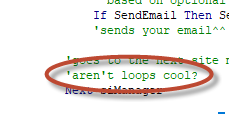
    Every now and then, you come across a comment that makes you smile.

    Aren't Loops Cool?

  • VS Code in the Cloud at Coder.com

    VS Code in the Cloud at Coder.com

    I’ve been enjoying AWS Cloud9, the cloud-based IDE, but having been blown away by VS Code, I figured it was just a matter of time before Microsoft launched their own version in the cloud, but it looks like this Austin-based startup is doing exactly that. I’m testing it out as we speak. It’s still pretty raw, but I really like where Coder on LinkedIn is going with this.